
Staffcounter
Free Trial Login
  • How it works
  • Features
  • Download
  • Support
  • News
  • Pricing
  • How it works
  • Features
  • Download
  • Support
  • News
  • Pricing
  • << Using the StaffCounter service
  • How to increase the number of employees in the Standard and Professional subscription?
  • Switching from the free Basic plan to one of the paid plans (Standard or Professional)
  • Standard plan: renewing the plan, adding more devices, and upgrading to the Professional plan
  • How to connect two computers to the same virtual device?
  • How to download a backup copy
  • How to connect a new device instead of an old one
  • How can monitoring be turned off on an employee computer?
  • What to do if you accidentally removed a virtual device

Switching from the free Basic plan to one of the paid plans (Standard or Professional)

In order to switch to one of the paid accounts while on the free Basic account, you need to go to the Order section.
Next, select the plan you want to switch to — Standard or Professional.
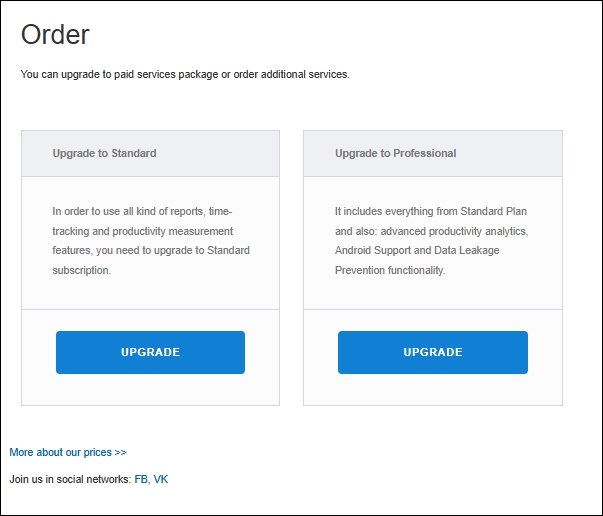
Order page selection

StaffCounter helps you understand what drives the behavior of your key employees.

Sign up

Recent Posts

  • Important: Use Mozilla Firefox for Encryption Confirmation
  • Job Performance is coming soon
  • StaffCounter on Ubuntu 24 in Xorg mode
  • Launch a Local Time-Tracking Server for Your Business
  • Important note regarding Windows Security Update.

Business tools

StaffCounter Features
Employee Time tracking
Surveillance without cameras or why monitor office computers?
Benefits for HR-manager
Text entry Analytics
End-to-End Encryption

About us

Company
Contacts
Career
Partnership
Our Clients
Blog

  • English
    • Deutsch
    • Italiano
    • Русский
    • Español
    • Română

Any questions?

Call now: +373 790 16822 (Mo-Fr).
MS Teams: StaffCounter Support
Leave a message

License agreement
Privacy Policy
Site map 
Unique features 

© 2012-2020 StaffCounter at SafeJKA S.R.L.

StaffCounter Support