Work Activity Summary
The Productivity and application usage summary is divided into the following report types:
– TOTAL WORK HOURS;
– EMPLOYEE PRODUCTIVITY;
– LATE ARRIVALS / OVERTIME;
– TOP 10 APPS;
– SUMMARY BY CATEGORIES.
Using the filter, you can set the start and end dates of the reporting period, as well as select data for a specific department.
Most often, managers analyze data for a week or a month.
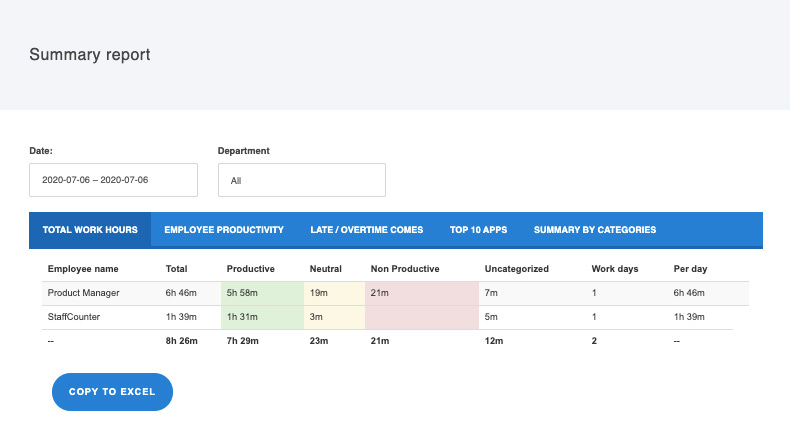
TOTAL WORK HOURS
This report includes:
– Total time worked by each employee during the specified period;
– Number of productive hours;
– Number of neutral hours;
– Number of unproductive hours;
– Hours spent in uncategorized apps;
– Number of working days during this period;
– Average hours worked by the employee each working day.
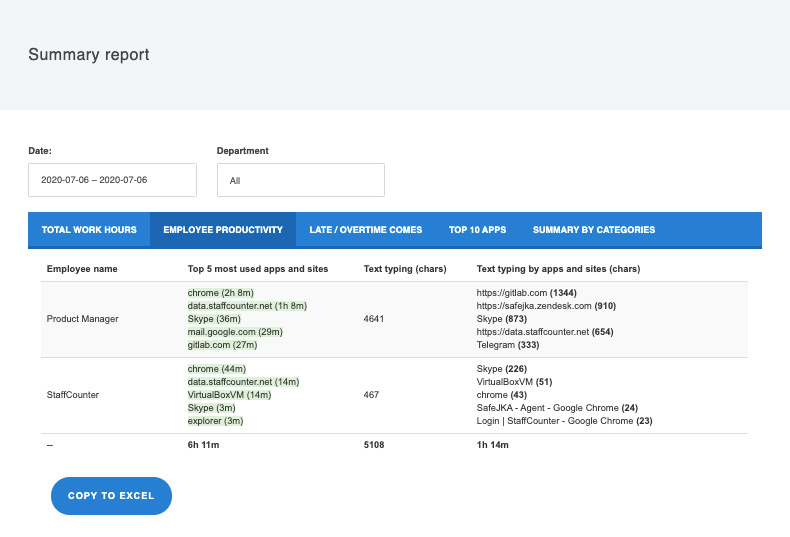
EMPLOYEE PRODUCTIVITY
This report includes:
– The 5 most used applications and the total time spent in each;
– Number of characters typed;
– The application with the highest number of typed characters.
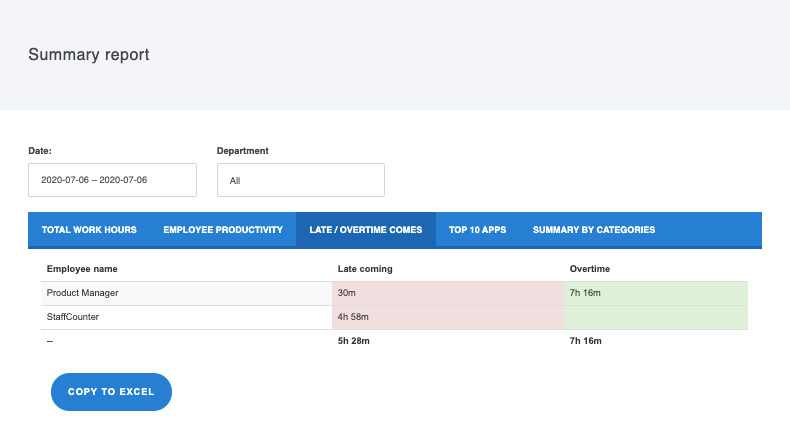
LATE ARRIVALS / OVERTIME
This report includes:
– Total late arrival time for each employee during the specified period;
– Total overtime for each employee during the specified period.
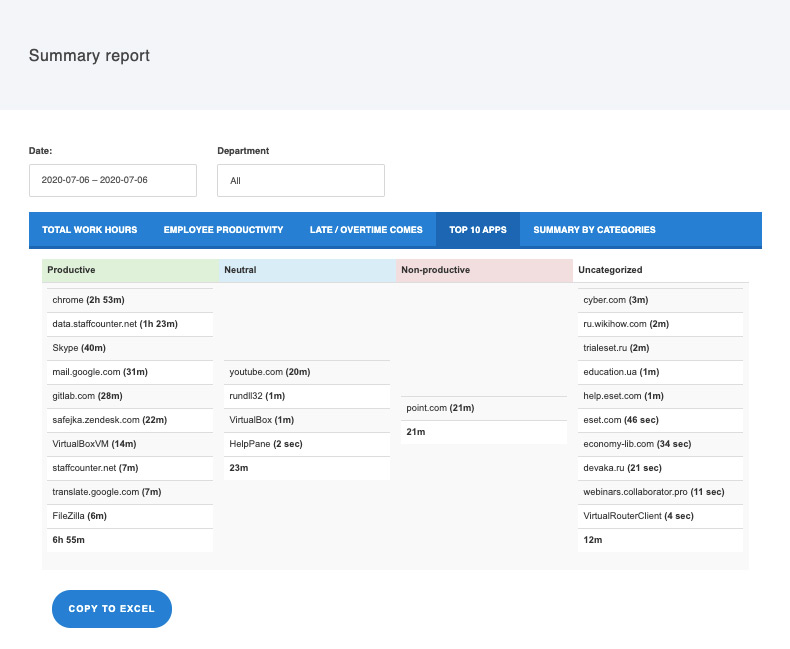
TOP 10 APPS
This report includes:
– Top 10 apps in each category (productive, neutral, unproductive, and uncategorized);
– Exact time spent on each application.
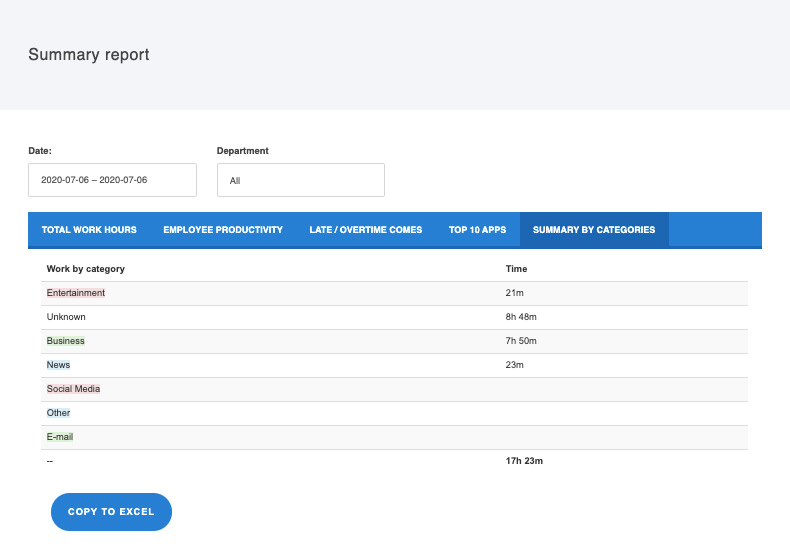
SUMMARY BY CATEGORIES
This report shows employee time in applications broken down by categories:
– Entertainment;
– Unknown;
– Business;
– News;
– Social Media;
– Other;
– E-mail.