
Configure monitoring settings on StaffCounter local server
Here are the options available on the Settings page in the public area of the server. These parameters are passed to monitoring applications to enable or disable specific functions. For example, the keystrokes parameter, if enabled, forces the application to collect typed text. On the users’ Settings page, this option is named Record text typing statistics.
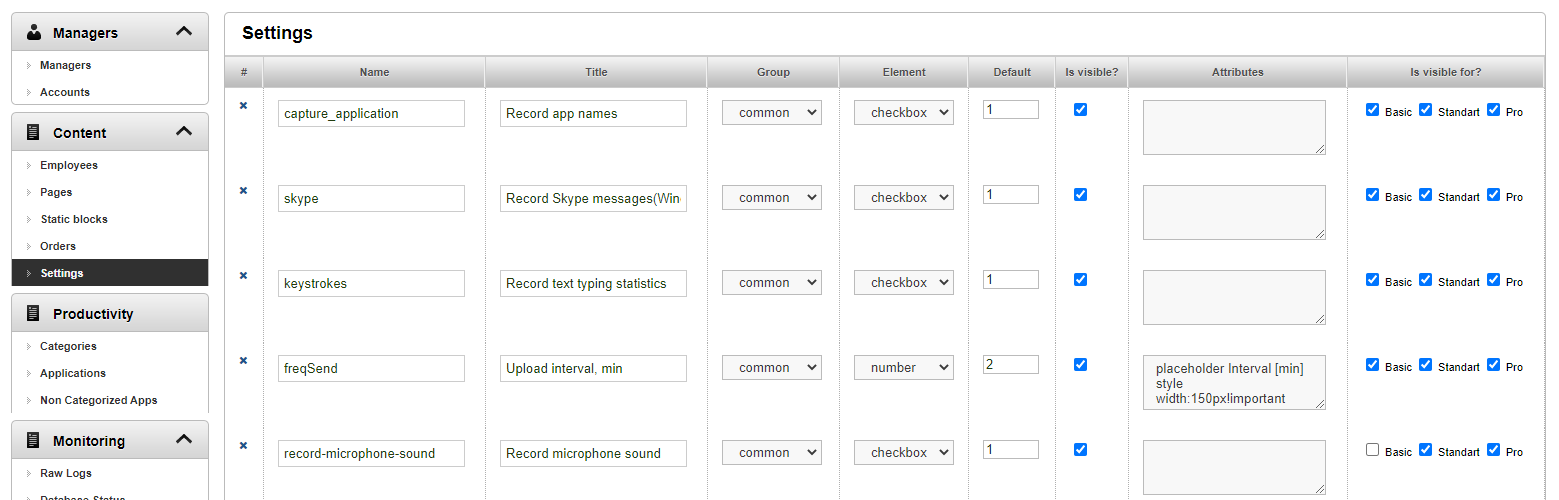
Is there any point in modifying these settings? Short parameter names like capture_application, skype, etc., cannot be changed because the StaffCounter application on a computer or phone expects parameters with those exact names. If a new function is added to the application, you must add the corresponding parameter to this page.
You can change the parameter name, default value, and parameter visibility. If a parameter is missing from the application configuration, its value will be considered 0.
In the Is visible for column, you can enable or disable the visibility of the parameter for a certain category of users.
